How to Delete eSIM From iPhone Safely
Your iPhone says a cellular plan is active, but the trip is over, the number is no longer needed, or you are troubleshooting a line that just will not behave. That is usually when people search how to delete eSIM from iPhone – and it is also where small mistakes can become annoying fast. Remove the wrong plan too early, and you may lose access to calls, texts, or carrier reactivation workflows you assumed would be simple.
The good news is that Apple makes plan removal straightforward. The less-good news is that what happens next depends on your carrier, your device setup, and whether that line is your primary number, a travel line, or a business profile. So the right move is not just knowing where the button is. It is knowing when deleting makes sense, when turning a line off is smarter, and what to check first.
How to delete eSIM from iPhone
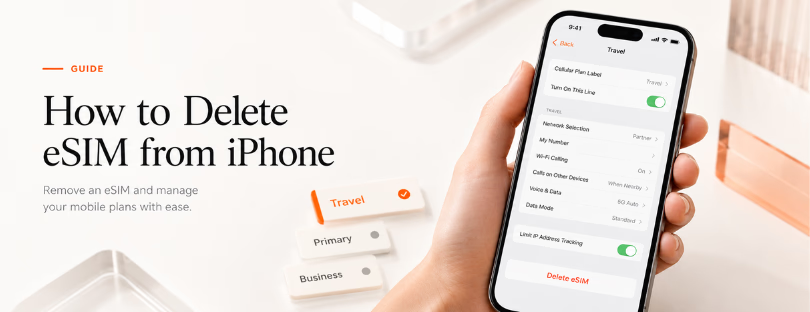
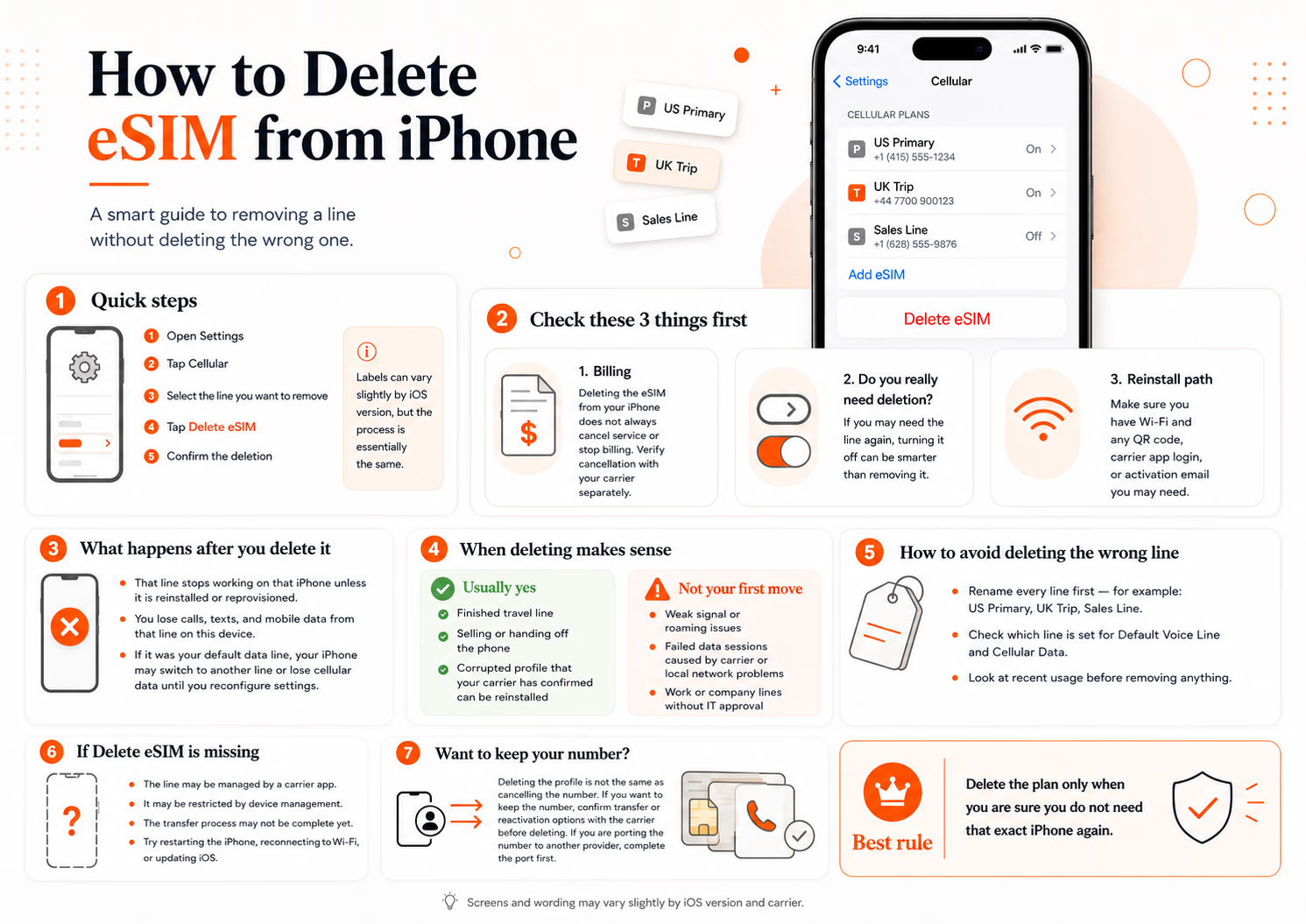
On most recent iPhones, you can remove a cellular plan in under a minute. Open Settings, tap Cellular, then select the plan you want to remove. Scroll down and tap Delete eSIM. Apple may label it slightly differently depending on your iOS version, but the action is essentially the same. Confirm the deletion, and the profile is removed from the device.
If you use more than one line, slow down before confirming. iPhones often display multiple labels such as Primary, Secondary, Business, or Travel. Those labels help, but they are only as accurate as the naming you set up. If you never renamed the lines, double-check the phone number or carrier name attached to each one.
On some devices, you may also need to go through Settings, then Cellular Data or Mobile Data, depending on region and software version. Apple keeps the process fairly consistent, but menus can shift slightly. The important part is that the removal option lives inside the specific cellular plan settings, not the top-level screen alone.
Before you delete anything, check these three things
First, confirm whether the line is still active with your carrier. Deleting it from the iPhone does not always cancel the service agreement or stop billing. In many cases, it only removes the downloaded profile from your device. If you are expecting charges to stop, you need to verify cancellation separately.
Second, ask whether you actually need deletion. If the line is temporary and you might need it again, turning it off can be the better option. Inside Cellular settings, you can disable a line without removing it entirely. That gives you flexibility if you want to reactivate it later without going through a fresh setup process.
Third, make sure you have Wi-Fi access and any carrier credentials you may need. Some carriers allow quick reprovisioning. Others require a QR code, app login, activation email, or customer support step. If you delete first and ask questions later, the reactivation path can become unnecessarily slow.
What happens when you remove a cellular plan
Once you delete the profile, that line stops working on the iPhone unless it is reinstalled or reprovisioned. You will not be able to use that number for calls, texts, or mobile data from that device. If it was your default data line, your iPhone may switch to another available line or simply lose cellular data until you reconfigure settings.
For travelers, this usually matters most with messaging and two-factor authentication. People often assume Wi-Fi will cover everything, then realize an old travel number was tied to app verification or local transport accounts. For business users, the bigger risk is removing a line that still supports client calls or mobile hotspot access.
There is also a difference between deleting a profile and resetting network settings. Resetting network settings wipes broader connectivity preferences such as saved Wi-Fi networks and cellular settings, but it is not the same as intentionally removing one plan. If your goal is targeted cleanup, delete only the line you no longer need.
When deleting makes sense and when it does not
Deleting is usually the right move when a temporary travel line is finished, when you are selling or handing off the phone, or when a corrupted profile is preventing proper activation and your carrier has already confirmed you can reinstall it.
It may not be the right move if you are troubleshooting weak signal, failed data sessions, or roaming issues. In those cases, deleting is often a last step, not the first one. A line may fail because of carrier-side provisioning, local network restrictions, or temporary outage conditions. Removing the profile does not fix every problem and can sometimes add a new one.
For enterprise users, there is another layer. Corporate mobile lines may be tied to mobile device management, compliance policies, or telecom expense controls. If a work-issued iPhone carries a business line, deleting it without IT approval may create policy or reimbursement issues. Practical step first, governance second is rarely a winning sequence.
How to avoid deleting the wrong line
This sounds obvious until you are looking at two active plans with similar names and a plane to catch. Rename every line before you make changes. In Cellular settings, tap the line and edit the Cellular Plan Label to something unmistakable like US Primary, UK Trip, or Sales Line.
Then verify how that line is being used. Check which line is set for Default Voice Line, Cellular Data, and iMessage or FaceTime if relevant. If the plan you are about to remove is tied into any of those roles, update the settings first so your iPhone does not route traffic in a way you did not expect.
Also look at recent usage. If a line still shows current data activity, recent calls, or active roaming, pause and ask why. A plan that appears disposable may still be quietly handling something important.
If the Delete option is missing
Sometimes the remove option is grayed out or absent. That usually points to one of a few causes. The line may be managed by a carrier app, restricted by device management, or tied to a transfer process that has not completed properly. In some cases, restarting the iPhone or updating iOS resolves the issue.
If it is a company device, management controls are a likely explanation. If it is a personal phone, the carrier may require removal through its own activation path rather than direct deletion from iOS. That is not common, but it happens often enough that it is worth checking before assuming the phone is malfunctioning.
Another scenario is device transfer. If you recently moved your number from one iPhone to another, the older device may show a residual plan state that behaves oddly. Give it a moment, reconnect to Wi-Fi, and verify the line has fully migrated before forcing changes.
How to delete eSIM from iPhone without losing your number
This is the question behind most support headaches. If the number itself matters, do not treat profile removal as account cancellation or safe temporary housekeeping. Your number is controlled by the carrier relationship, while the local profile on the iPhone is just the installed access layer.
If you want to keep the number but remove it from the current device, confirm that the line can be transferred or reactivated elsewhere first. If you want to stop using the line entirely, confirm the cancellation process with the carrier separately. Those are two different actions, and mixing them up is where users lose time.
Porting adds another wrinkle. If you are moving the number to another provider, deleting too early can complicate verification. It is often smarter to complete the port first and remove the old plan only once the new service is live.
A quick note for travelers and telecom teams
For travelers, deleting old plans keeps the device tidy and reduces confusion before the next trip. But deleting everything immediately after landing home is not always efficient. Keep a line for a day or two if refunds, local app access, delayed flight communications, or hotel follow-ups might still matter.
For telecom managers and mobility teams, this tiny user action reflects a larger operational reality. Digital provisioning makes line activation and removal easier, but it also shifts more risk to end-user decisions. Clear internal policy around when to disable, when to delete, and who owns reprovisioning can save a surprising amount of support time.
If you are staring at that Delete button, the best rule is simple: remove the plan only when you are sure you do not need that exact setup on that exact iPhone again. A ten-second check now is cheaper than an hour with carrier support later.