
Travel Router: Who Actually Needs One?
The hotel Wi-Fi login screen is often where good trip planning goes to die. One browser tab works, the TV will not connect, your laptop drops every hour, and suddenly, a simple work call depends on network luck. That is exactly where a travel router earns its place.
A travel router is a compact router designed for temporary, mobile use. It lets you take one internet connection from a hotel, apartment, airport lounge, cruise cabin, or coworking space and create your own private Wi-Fi network for all your devices. For frequent travelers, that means less friction. For travel and telecom professionals, it also highlights a bigger truth: connectivity is now part of the travel product, not just an add-on.
What a travel router actually does
At a basic level, a travel router sits between your devices and the internet source available at your destination. Instead of connecting your laptop, phone, tablet, streaming stick, and smart watch directly to hotel Wi-Fi, you connect the router once and let everything else join your private network.
That sounds simple, but the practical value is bigger than it first appears. A travel router can reduce repeated captive portal logins, keep device connections consistent, and add a layer of control in places where public networks are unreliable or poorly managed. Some models can also act as a bridge, repeater, or wired-to-wireless access point, which matters in hotels where Ethernet still outperforms Wi-Fi.
For many travelers, the appeal is not speed. It is predictability.
Why travel router demand keeps growing
The rise of remote work, longer trips, and device-heavy travel has changed what people expect from connectivity. A decade ago, a traveler mainly needed a phone online. Today, a single traveler may carry a laptop, phone, tablet, earbuds, watch, and a portable streaming device. A family or small team can easily bring 10 to 20 connected devices.
That creates two pressures. First, many hotels still cap the number of devices per room or make each login unnecessarily painful. Second, public Wi-Fi remains inconsistent across airports, rail stations, short-term rentals, and hospitality venues. A travel router solves both problems by turning a messy shared network into a more manageable private one.
READ MORE: Why Travel Routers Matter Again — TP-Link’s Wi-Fi 7 Move
This matters commercially too. Hospitality brands increasingly compete on digital experience, and Wi-Fi reliability remains one of the most visible parts of that promise. When travelers bring their own connectivity tools, it is often a sign that the venue network is not meeting modern expectations.
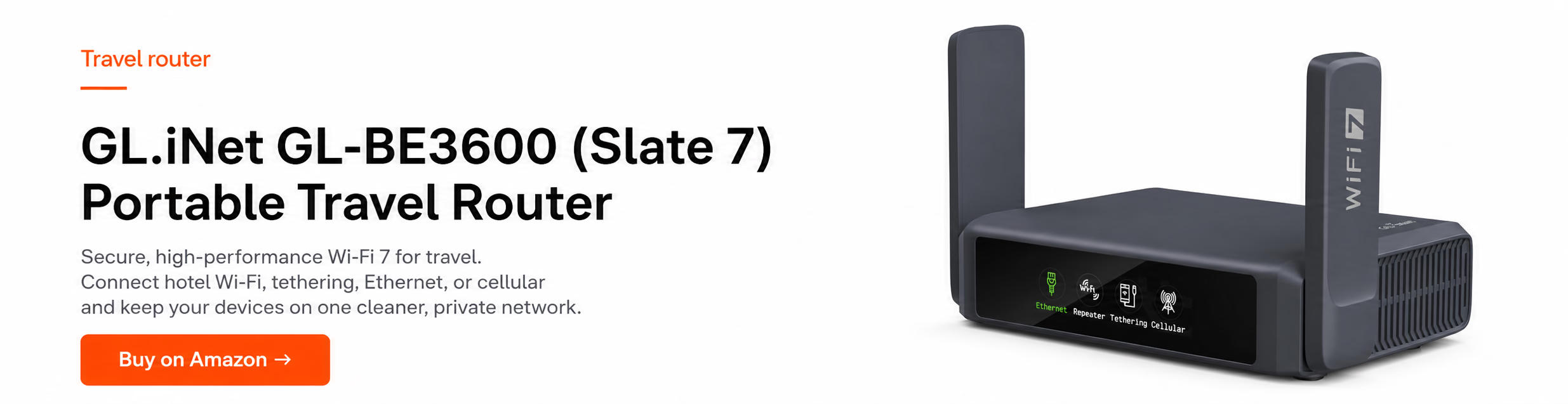
Who should buy a travel router?
Not every traveler needs one. If you mostly take short leisure trips, use one or two devices, and rely
on good mobile data, a travel router may sit unused in your bag.
But there are clear use cases where it makes sense. Business travelers who spend nights in different hotels each week benefit from a consistent setup. Digital nomads gain more control over security and device management. Families can connect multiple devices without repeating the same hotel login dance. International travelers using smart home-style travel gear, media devices, or work hardware that struggles with captive portals will notice the difference quickly.
It is also useful for small teams on the move. Journalists, event crews, consultants, and sales staff often need to connect laptops, printers, handhelds, and collaboration tools in environments not built for temporary professional use. In those cases, a travel router is less a convenience product and more a continuity tool.
When a travel router is not worth it
There are trade-offs. A travel router adds one more device to pack, charge, configure, and troubleshoot. Cheap models can be frustrating, especially if they have weak radios, confusing interfaces, or limited support for newer Wi-Fi standards.
It also does not magically fix a bad internet connection. If the hotel backhaul is slow or overloaded, your private network will still be slow. The router can improve stability and simplify access, but it cannot create bandwidth that is not there.
Some public networks also use login systems that do not play nicely with routers. Most good travel routers can work around captive portals, but not all do it smoothly. In some locations, especially enterprise-managed venues, setup can take more patience than travelers expect.
What to look for in a travel router
The right choice depends on how you travel. If you mainly want a private Wi-Fi bubble in hotels, look for reliability, dual-band support, simple setup, and USB-C or easy power options. If you work on the road, prioritize stronger security features, VPN compatibility, and Ethernet ports.
Wi-Fi standard matters, but not always in the way marketing suggests. Newer standards can help with performance and efficiency, especially in congested environments, but a well-built Wi-Fi 5 or Wi-Fi 6 travel router can still be perfectly adequate for most trips. The bigger issue is whether the hardware is stable and the software is easy to manage from a phone or laptop.
READ MORE: Revolutionize Your Travel with Portable WiFi: The BNE GO Pocket Router with 5GB of global data
Port selection is another overlooked factor. A single WAN/LAN port may be enough for casual use, but road warriors often benefit from at least one dedicated Ethernet option. Hotel wired connections are rarer than they used to be, yet when they exist, they can still be the best path to stable video calls.
Security deserves more attention than it usually gets. Public Wi-Fi remains a weak point in the travel stack, especially for business users handling sensitive accounts, bookings, and internal systems. A travel router with solid encryption support and clear update policies is a better investment than one that wins on price alone.
Travel router vs phone hotspot
This is the comparison most travelers care about. If your phone already supports hotspot mode, why carry another box?
The answer depends on context. A phone hotspot is excellent when mobile coverage is strong and data pricing is reasonable. It is fast to activate, requires no extra hardware, and works well for short sessions or solo travelers.
READ MORE: eSIM Standards Explained: How SGP.32 Changes Travel Connectivity
A travel router becomes more compelling when you need to connect many devices, preserve phone battery, avoid reconnecting hardware every time you change rooms, or use a hotel network as the source. It also helps when devices like TVs, cameras, printers, or streaming sticks do not handle portal-based Wi-Fi well.
There is also a workflow difference. A phone hotspot is reactive. A travel router is infrastructure. For professionals who treat connectivity as part of their operating environment, that distinction matters.

The hotel and airline angle
From an industry perspective, the popularity of travel routers says something uncomfortable but useful. Travelers are building workarounds because core connectivity still fails at key moments.
Hotels often promote free Wi-Fi as a standard amenity, but the real user experience varies wildly by property, floor, room type, and time of day. Airlines face a similar gap between connectivity branding and actual onboard performance. As travel becomes more digital, unreliable access does more than annoy guests – it affects productivity, customer satisfaction, and ancillary revenue opportunities.
For travel brands, this is not just an IT issue. It is a product design issue. The easier it is for a guest or passenger to stay connected across devices, the stronger the digital experience and the more room there is for service innovation.
Setup is easy, until it is not
Most modern travel router setups take a few minutes. You power the device, connect to its default network, open the admin page, and choose whether to join an existing Wi-Fi network or use a wired source. After that, your devices connect to the router instead of the venue network.
The friction usually appears with captive portals, weak source signals, or venues that isolate client devices aggressively. Experienced travelers learn quickly to test the room connection first, place the router near the strongest signal, and keep firmware updated before departure rather than mid-trip.
That is another reason quality matters. The best travel router is not the one with the longest feature list. It is the one you can configure half-awake after a late arrival and trust during a morning call.
So, should you pack a travel router?
If connectivity is mission-critical for your trip, the answer is often yes. A travel router is one of those tools that feels unnecessary until the first time it saves your evening, your meeting, or your check-in workflow across five devices.
For occasional travelers, it is optional. For frequent travelers, remote workers, and anyone who has lost patience with public Wi-Fi theater, it is a smart piece of kit. And for the wider travel industry, its growing relevance is a reminder that reliable connectivity is no longer background infrastructure. It is part of how people judge the trip itself.
The best test is simple: if bad Wi-Fi can derail your plans, a small router may be worth more than another power bank.