How to Scan an eSIM QR Code Properly
So you finally received your eSIM QR code.
Maybe it arrived in your inbox after buying a travel data plan. Maybe you’re preparing for a trip abroad and want everything ready before the plane lands. Or maybe you’re just tired of dealing with tiny plastic SIM cards that disappear the moment you drop them.
Whatever the reason, you now have that mysterious square pattern sitting in front of you and one simple question:
How exactly do you scan an eSIM QR code the right way?
The good news is that activating an eSIM is actually one of the simplest things in modern telecom. The bad news is that when it goes wrong, it usually happens because of a few small mistakes people make during setup.
Let’s go through the process step by step so you can activate your eSIM smoothly the first time.
What an eSIM QR Code Actually Does
Before scanning anything, it helps to understand what the QR code actually represents.
An eSIM QR code is not the SIM card itself. Instead, it is a secure activation key that tells your phone where to download the mobile network profile.
Inside that QR code are typically three things:
- the SM-DP+ address (the server hosting the eSIM profile)
- the activation code
- sometimes a confirmation code
When you scan the code, your phone connects to the provider’s server and downloads the operator profile directly onto the embedded SIM chip inside your device.
In other words, the QR code is just the doorway. The real SIM profile is downloaded afterward.
This is why most QR codes can only be used once.

What You Need Before Scanning
Before starting the activation process, check a few simple things. These small details are often the difference between a smooth setup and a frustrating one.
You will need:
• An eSIM compatible device
Most iPhones from XR onward support eSIM, as well as newer Samsung Galaxy and Google Pixel phones.
• A stable Wi-Fi connection
Your phone needs internet access to download the eSIM profile.
• Your QR code
Usually sent by email, available in your provider dashboard, or printed on a card.
• Enough battery
Ideally at least 50 percent so the phone does not shut down during installation.
Once these are ready, you can begin.
| How to Scan an eSIM QR Code on iPhone | How to Scan an eSIM QR Code on Android |
|---|---|
| Apple made the process very straightforward. | Android devices follow a similar path, although menu names vary slightly depending on the manufacturer. |
| 1. Open Settings | 1. Open Settings |
| 2. Tap Cellular or Mobile Data | 2. Go to Connections or Network & Internet |
| 3. Select Add eSIM | 3. Select SIM Manager or SIMs |
| 4. Choose Use QR Code | 4. Tap Add Mobile Plan |
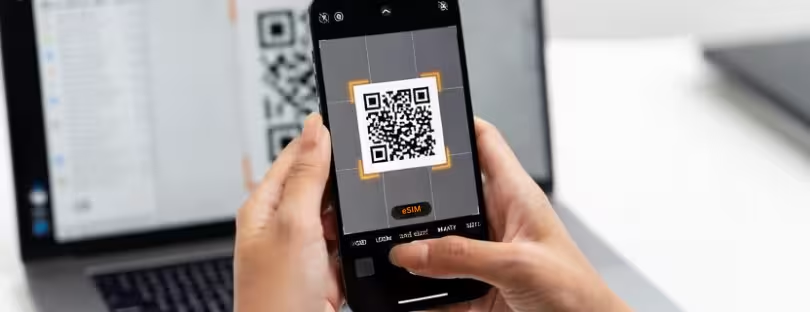
| 5. Scan the QR Code – Your camera will open automatically. Point it at the QR code displayed on another device or printed on paper. | 5. Choose Scan QR Code |
| Your phone will recognize the code and show the carrier profile details. | 6. Scan the QR Code – Point your camera at the QR code and confirm the installation. |
| After that you will be asked to: | The device downloads the profile and activates the eSIM. |
| • confirm the plan | Some phones may ask you to restart after installation. |
| • label the line (for example “Travel Data”) | |
| • choose how it should be used | |
| Once confirmed, the phone downloads the profile and installs the eSIM. | |
| The entire process usually takes less than one minute. |
What to Do If the QR Code Does Not Scan
Sometimes the QR code refuses to scan.
This usually happens for simple reasons:
- Screen brightness is too low
- The QR code image is blurry
- The phone camera cannot focus properly
- You are trying to scan the code from the same phone
Fortunately, every eSIM also includes a manual activation option.
Instead of scanning, you can enter the details manually.
On iPhone:
Settings → Cellular → Add eSIM → Enter Details Manually
On Android:
Add Mobile Plan → Enter Manually
You will then enter:
- the SM-DP+ address
- the activation code
- sometimes a confirmation code
This method works exactly the same as scanning the QR code.
Common Mistakes That Cause eSIM Setup Problems
Most activation issues come down to a few common mistakes.
Here are the ones we see most often.
Deleting the eSIM Too Early
Once you delete an eSIM profile, you usually cannot scan the same QR code again. Many providers allow only one installation per code.
If you remove it accidentally, you may need to contact support for a new QR code.
Activating Without Internet
Your phone needs internet access to download the profile. If the Wi-Fi signal drops during installation, activation may fail.
Activating Too Early
Some travel eSIM plans begin counting the validity period the moment the QR code is scanned. Others activate only when the device first connects to a network in the destination country.
Always check the plan rules before scanning.
Trying to Scan the Code on the Same Device
Your phone cannot scan a QR code displayed on its own screen. Use a second device such as a laptop or another phone.
A Small Tip Frequent Travelers Love
If you travel often, label your eSIM profiles clearly.
Instead of generic names like “Secondary,” use labels like:
• Spain Data
• Japan Trip
• Europe eSIM
Modern smartphones can store multiple eSIM profiles, so clear labeling makes switching between them much easier.
 Why eSIM QR Codes Are Changing Mobile Connectivity
 Why eSIM QR Codes Are Changing Mobile Connectivity
Scanning a QR code to activate mobile data may feel like a small step, but it represents a bigger shift in how telecom works.
For decades, mobile connectivity depended on physical SIM cards tied to local carriers. Changing networks meant visiting a store, buying plastic cards, and swapping them manually.
eSIM changes that completely.
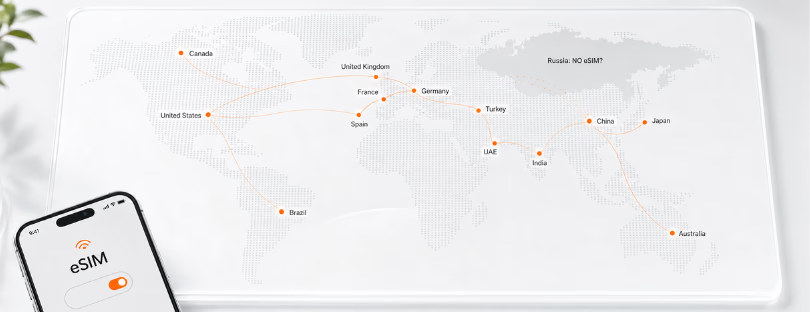
Today a traveler can land in another country, scan a QR code, and connect to a local network in seconds.
This shift is why analysts at organizations like GSMA Intelligence expect billions of devices to adopt eSIM in the coming years. It is also why airlines, travel platforms, and fintech apps are beginning to integrate connectivity directly into their services.
In other words, scanning that QR code is not just activating a data plan.
It is part of a much larger transition toward software-based connectivity.
Conclusion: A Simple Scan That Represents a Big Shift
At first glance, scanning an eSIM QR code looks like a small technical step. But in reality, it reflects how the entire telecom industry is evolving.
Connectivity is moving away from plastic cards and local stores toward digital provisioning, cloud-based operator profiles, and instant global activation. Providers such as travel eSIM platforms, global MVNOs, and connectivity marketplaces are building services around this model.
For travelers, the result is simple. Instead of searching for SIM kiosks at the airport, you scan a code and your phone downloads a network profile from anywhere in the world.
Once you understand how the process works and avoid a few common mistakes, activating an eSIM becomes one of the easiest parts of preparing for a trip.
And after doing it once, most people never want to go back to swapping SIM cards again.
And hey, if you’re still shopping around for eSIMs, check out our top picks on Alertify for travel-friendly data plans in 200+ countries. You might even find some with free trial data to test out. Get it here: