Tele2 NL users still can not use 4G roaming services throughout all EU
 Mobile internet has become indispensable in society, including during holidays abroad. Henk Don, ACM board member:
‘We have found that a number of telecom providers offer lower internet quality when roaming within the EU than in the Netherlands, while the same quality is available. As a result, for example, it is not possible to watch Netflix in HD quality without a hitch. We want providers to ensure that they offer the best quality mobile internet available before the start of spring break. If 4G is available, customers who also have 4G at home must be able to use it. “
The ACM has conducted research into the quality of roaming services during a stay abroad. It sometimes happens that 4G is not yet available in every area, so 3G or even 2G is used. But the ACM study also shows that providers sometimes do not offer 4G while it is available.
This means that Dutch customers pay for 4G services in those cases, but cannot use them abroad.
Do you turn data roaming on or off? tele2 4g roaming
Are you crossing the border and want to stay connected? Then turn on your data roaming. This way, wherever you are, you stay connected to the World Wide Web. And let’s be honest: that’s quite a must if you want to share the ocean views , insta-worthy cocktails and way too tanned legs online with those at home. Please note that a foreign rate applies outside the EU. Would you rather not be reachable across the border to become completely zen? Then turn off your data roaming.
How to Turn Data Roaming On or Off
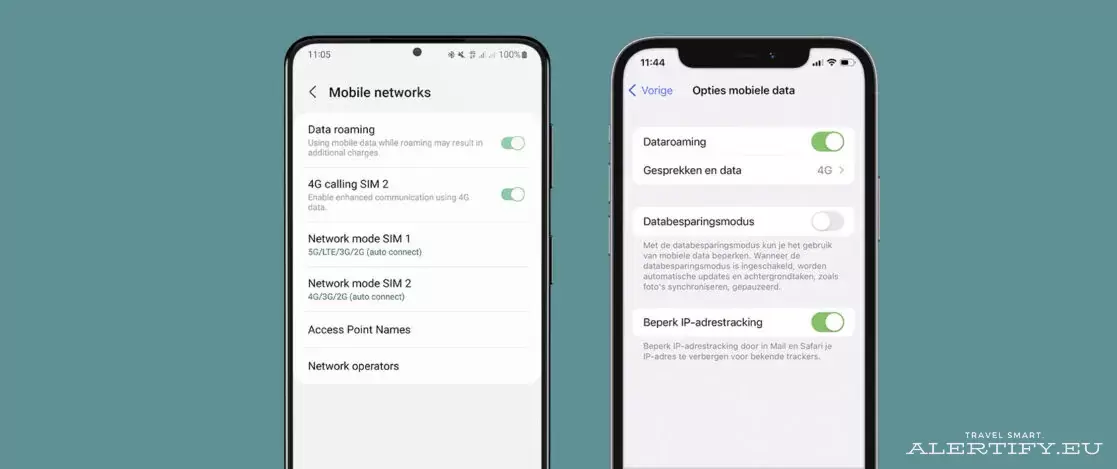
Turn roaming on or off on iPhone
Do you have an iPhone? This is how you turn your data roaming off or on:
- Open Settings.
- Tap Mobile Network.
- Tap Mobile Data.
- Open Mobile Data Options.
- Disable or enable Data Roaming.