How to Switch Between eSIM and Physical SIM on an iPhone
The SIM card is a staple of mobile devices, storing the data that connects your device to your carrier’s network. But with the advent of eSIM technology, the physical SIM card is no longer the only option. Find out more about switching physical SIM to eSIM on the iPhone below.
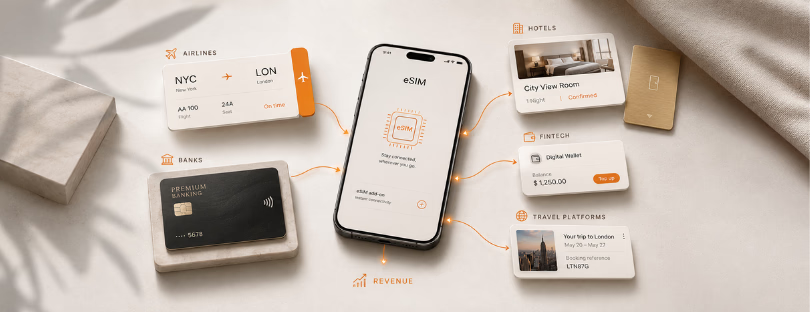
eSIM, or embedded SIM, is a digital SIM that allows you to activate a cellular plan without having to use a physical SIM card.
Switching Between eSIM and Physical SIM Physical SIM to eSIM iphone
The introduction of eSIM technology has opened up a new realm of convenience and flexibility for smartphone users. A digital SIM allows you to activate a cellular plan without having to use a physical SIM card, a feature that the iPhone has supported since the iPhone XS, XS Max, and XR series.
But how can you switch between an eSIM and a physical SIM on your iPhone? Let’s explore.
Step 1: Navigate to Cellular Settings
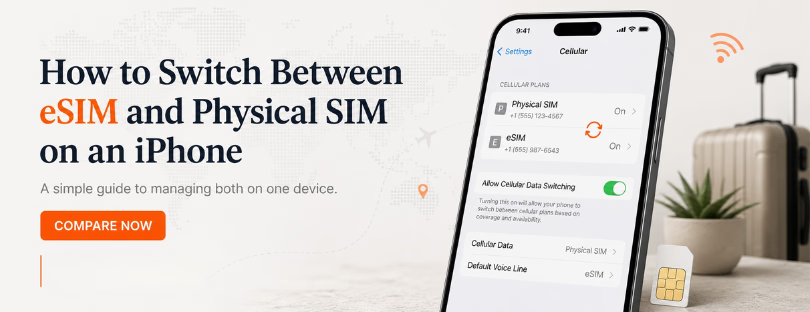
Begin by accessing the core of your phone’s network settings. Open the Settings app on your iPhone; the silver icon with gears is located on your home screen. Once in Settings, scroll down the list until you find the option labeled “Cellular” or “Mobile Data”. The label can vary depending on the language settings and the version of iOS you’re using. Tap on this option to move forward.
Step 2: Choose the Relevant SIM
After entering the Cellular settings, you’ll find a range of options related to your phone’s network and SIM settings. Look for an option that lists your installed SIMs – this should be clearly labeled, for example, “Cellular Plans” or “SIM Management”. When you tap on it, you’ll see the details for both your physical SIM and eSIM (if installed and activated). Here, you can select the SIM you want to manage.
Step 3: Switch Between SIMs
Once you’ve selected the SIM, there will be an option to enable or disable that particular SIM. This is how you switch between your eSIM and physical SIM. For instance, if you’re currently using your physical SIM and want to switch to your eSIM, find the option for your physical SIM, and you’ll see a toggle or switch. Tap on it, and your iPhone will deactivate the physical SIM and switch to the eSIM, assuming the latter is set up and activated. The same process applies when switching back from eSIM to physical SIM.
So there you have it: a straightforward process that gives you the power to choose between physical SIM and eSIM on your iPhone, ensuring you have maximum flexibility when it comes to your cellular plans. This capability is part of the beauty of the modern, digitally connected world, and it’s right at your fingertips with your iPhone.
Key Companies in the eSIM Space Physical SIM to eSIM iphone
Apple is a key player in the eSIM space, with its iPhones leading the charge in eSIM technology. Other companies like Google and Samsung also offer eSIM capabilities in their devices but other smartphone manufacturers are also entering eSIM services.
Final thought
Switching between an eSIM and a physical SIM on an iPhone is not really about choosing one technology over the other. It is about having control over how your phone connects, depending on where you are, what you need, and how much you want to spend.
For everyday use, the physical SIM still feels familiar and reliable, especially in markets where eSIM support is not universal. But for travel, work numbers, backup data, or quick carrier switching, eSIM clearly gives iPhone users more flexibility. You can keep your main number active, add a travel plan before departure, and change your data line in Settings without opening the SIM tray or visiting a local phone shop.
The only weak point is still the carrier side. Some operators make eSIM setup smooth, while others turn a simple digital feature into a support-ticket experience. That is why users should always check carrier compatibility, phone unlock status, roaming rules, and whether the eSIM can be reinstalled before deleting it.
Apple helped make eSIM mainstream, but the wider market is now moving in the same direction. Samsung, Google, and other Android manufacturers are also building stronger eSIM support into their devices. The future is clearly digital, but physical SIMs will not disappear everywhere overnight.
The best setup for most people is not extreme. Use your physical SIM where it makes sense, use eSIM where it saves time or money, and keep both options available when your iPhone supports them. That is where the real value sits: not in the technology itself, but in the freedom to switch when your situation changes.