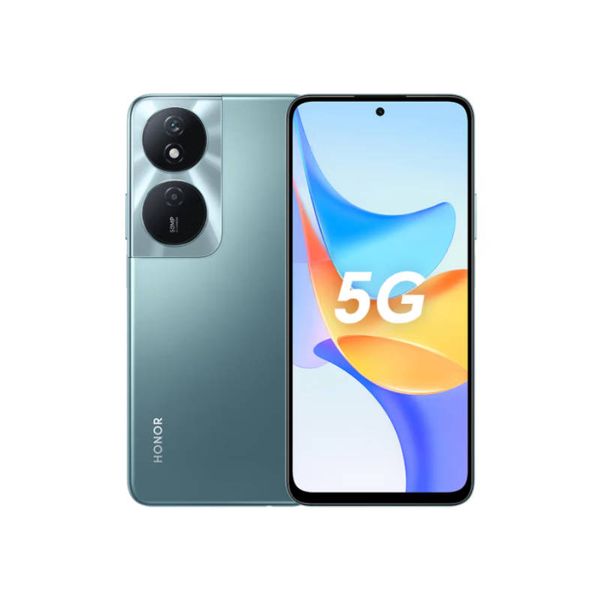
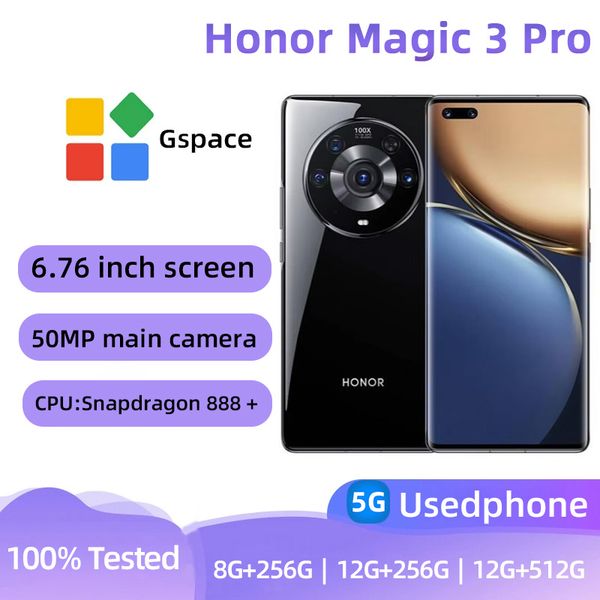
If you’re an Honor user, you’ve probably noticed that your phone punches way above its weight. Great cameras, surprisingly strong performance, sleek designs, and—thankfully—support for modern connectivity features like eSIM. But here’s the twist: Honor’s eSIM story isn’t as straightforward as Apple or Samsung. Some models support it beautifully. Others… well, they pretend eSIM doesn’t exist.
So if you’re trying to figure out whether you can ditch your plastic SIM card on your next trip and switch to a digital eSIM instead, this guide is for you. Let’s talk compatibility, setup, quirks, and what using an eSIM on an Honor phone actually feels like when you’re out on the road.
Why Honor added eSIM in the first place
Honor spent years in the “budget-but-surprisingly-good” lane. Then the brand went independent from Huawei and started climbing fast into the premium market. And premium phones need premium features, so eSIM support naturally became part of the story.
But unlike Apple (where every iPhone from 2018 onward has eSIM baked in), Honor didn’t flip the eSIM switch across the entire lineup. They rolled it out slowly, and in some regions only.
In other words: you might have an Honor phone that supports eSIM… or you might not. It depends on your model and your country.
Fun, right?
Which Honor phones support eSIM?
Here’s the short version: eSIM on Honor mostly lives inside the brand’s flagship lines.
You’re generally safe if you have:
Honor Magic6 Pro
Honor Magic6
Honor Magic5 Pro
Honor Magic4 Pro
Honor Magic V series (foldables)
Honor Magic3 Pro+ / Magic3 Pro (in select markets)
These devices support eSIM in Europe, the Middle East, and parts of Asia. But some carriers still don’t enable it on their networks—and Honor doesn’t enable eSIM on certain country variants. So two people can buy the same Honor phone, but only one gets the eSIM toggle. Yes, it’s annoying.
Mid-range devices (like the Honor 90 or Honor 70 series) tend not to include eSIM at all.
If your Honor phone is more affordable, it’s likely still living in SIM-card land.
How to check if your Honor phone supports eSIM
Instead of hunting through tech forums, do this quick check:
Open Settings
Tap Mobile network
Tap SIM management or eSIM (if available)
If you see “Add eSIM,” “Download eSIM,” or “SIM 2 (eSIM),” you’re good.
If nothing like that appears… your phone probably doesn’t support eSIM in your region.
If you bought your Honor phone from another country (hello, grey imports), your device hardware might support eSIM but the software doesn’t. That’s not something an app or an update can magically fix.
Why travelers love eSIM on Honor phones
If you’ve ever landed somewhere new and spent your first hour hunting for a SIM card kiosk, you already know the answer.
You can keep your home number active while adding a travel data plan.
You avoid swapping tiny plastic cards on a moving train (been there, dropped that).
Honor phones with eSIM behave like any other modern flagship: the activation is fast, the management is clean, and the dual-SIM flexibility is actually pretty smooth.
Where Honor’s eSIM experience shines
1. Dual SIM without the physical hassle
Honor handles dual SIM really well. If your phone supports eSIM, that essentially gives you:
Physical SIM slot
eSIM slot
Meaning you can keep your home SIM for calls and SMS, while using a travel eSIM for data. No more juggling tiny trays.
2. Travel eSIM apps work flawlessly
Most major travel eSIM providers support Honor phones, including:
You can grab a plan for 1 country, a regional plan, or a global one. And since Honor runs Android, the setup is smooth: scan a QR code or install it directly through the app.
3. Network switching is easy
Honor’s UI makes it easy to set:
Which SIM handles data
Which SIM handles calls
Which SIM handles SMS
Which SIM gets priority 5G coverage
If you travel often, this level of control is gold.
Where Honor’s eSIM experience gets a little messy
Honor’s biggest issue isn’t the technology—it’s inconsistency.
1. Region-dependent availability
A Magic5 Pro in Germany might support eSIM. A Magic5 Pro in Malaysia… might not.
The hardware is the same. The software build is different. And Honor rarely advertises eSIM support clearly, so you’re basically left to test it yourself.
2. Carrier restrictions
Some carriers simply don’t enable eSIM for Honor devices. Even if the phone can support it, the network won’t allow activation.
3. Not every Honor flagship gets eSIM
For example, some Magic Pro variants have eSIM while others don’t. It’s very “Russian roulette meets telecom.”
So, is Honor good for eSIM?
If you have a recent flagship—yes, absolutely. If you have a mid-range Honor device—probably not.
Honor is improving rapidly, though. For travelers, their flagship lineup is now a genuinely strong option with a premium eSIM experience once the feature is available.
The brand wants to compete with Samsung, Apple, and Xiaomi in global markets, and eSIM support is a major part of that push. You can expect broader availability in future models.
How to set up an eSIM on an Honor phone (step-by-step)
Once you confirm your model supports eSIM:
Buy an eSIM plan from your preferred provider.
You’ll get either a QR code or an “install via app” option.
Open Settings → Mobile network → eSIM.
Choose Add eSIM.
Scan the QR code OR tap Install eSIM if your app handles it.
Wait 10–30 seconds for activation.
Choose which SIM handles data, calls, SMS.
Turn on mobile data. Done.
If your data doesn’t work immediately, toggling airplane mode usually fixes it.
Tips for using a travel eSIM on an Honor phone
1. Install the eSIM before you fly
Most providers activate only after you land, but installing early saves time.
2. Keep your home SIM for verification codes
WhatsApp, banking apps, and login systems still rely on SMS.
3. Disable data on your home SIM
You do not want accidental roaming charges.
4. Always check APN settings
Most plans add APN automatically. If not, your provider will give you the details.
Final thoughts
Honor phones and eSIM technology are finally in a good place—at least for flagship owners. If you’re traveling soon and your Honor device supports eSIM, absolutely take advantage of it. It’s faster, safer, and much cheaper than roaming.
Just make sure your phone model and region actually support eSIM before you buy a plan. Once you’re in, the whole experience feels modern and surprisingly smooth. No more waiting at airport kiosks, no more SIM card swapping, no more roaming bill anxiety.
Your Honor phone becomes a true travel companion—digital, flexible, and ready for the next destination.
Driven by wanderlust and a passion for tech, Sandra is the creative force behind Alertify. Love for exploration and discovery is what sparked the idea for Alertify, a product that likely combines Sandra’s technological expertise with the desire to simplify or enhance travel experiences in some way.