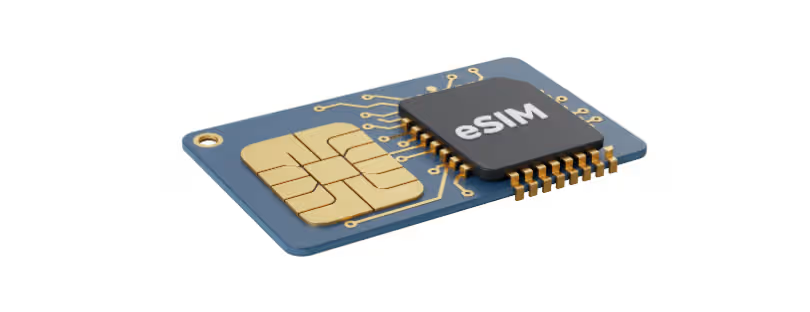
What Happens When You Actually Use Your eSIM — Stress Testing for Remote Work
We’ve tested latency.
We’ve mapped jitter and packet loss across continents.
But now it’s time to ask a more practical question:

What happens when your eSIM is actually under pressure?
Because a 45 ms ping during a casual scroll means nothing when your Slack, Zoom, Notion, Google Drive, and VPN are all fighting for bandwidth at the same time.
Welcome to Part 3 of the Latency Report—where we stress test eSIMs in real-world remote work conditions, and things get… interesting. If you missed Part One and Part Two, here they are: The Latency Report: Ranking Global eSIMs by Jitter and Packet Loss for Remote Professionals and The Latency Report Continues: Mapping the World’s Most Reliable eSIM Routes.
Why This Test Matters More Than You Think
Speed tests show your connection when everything’s idle.
Latency tests show potential.
But real work isn’t a benchmark—it’s messy, simultaneous, and demanding.
For remote professionals, the typical day might include:
- 60–90 minutes of Zoom or Teams calls (with video and screen sharing)
- Background sync of files with Dropbox, OneDrive, or Google Drive
- VPN access to company servers or Git repositories
- Slack running constantly
- Maybe even live-streaming or uploading training sessions to YouTube or client platforms
And yes—all of that often happens at once, especially on the road.
This report is about how eSIMs survive the chaos.

Testing Setup: The Remote Work Simulation Stack
To reflect the real experience of a digital nomad or remote worker, we used:
🧠 Apps running concurrently:
- Zoom (HD video + screen sharing)
- Slack + Notion
- Google Drive + Dropbox syncing 200–500MB of files
- VPN (NordVPN & ProtonVPN for consistency)
- YouTube Live via OBS Studio (for creator workload)
📱 Devices:
- iPhone 15 Pro and MacBook Air M2
- Connected via personal hotspot (to reflect mobile-first use)
📍 Locations tested:
- Chiang Mai, Thailand
- Medellín, Colombia
- Istanbul, Turkey
- Athens, Greece
🧪 Monitoring tools:
- Speedcheck Pro (latency + jitter tracking over time)
- PingPlotter (packet loss over multi-hour sessions)
- OBS logs (stream drop and reconnect detection)

Key Findings: eSIMs Under Load
1. Latency Spikes Mid-Call Are a Real Problem
In Medellín, several global eSIMs showed solid latency under 70 ms in idle mode. But once Zoom and VPN were active together, latency jumped to 180+ ms, and jitter spiked over 30 ms.
Who held up best?
- Airhub’s regional LATAM plan (paired with Movistar) performed with noticeably fewer spikes.
- Ubigi struggled during peak hours—likely due to shared infrastructure or deprioritized routing.
Lesson: Don’t trust idle ping—look at how it behaves under load.
2. VPNs Expose Weak Networks Quickly
In Chiang Mai, connecting to NordVPN added about 20–30 ms of latency—as expected. But on some eSIMs (like Nomad’s Discover Global), this led to serious jitter and even frequent packet loss above 2%.
With ProtonVPN, several calls became borderline unusable over Airalo’s Discover Global plan.
Who fared better?
Airalo’s Asialink regional eSIM showed much stronger performance—less jitter, almost no packet loss, and Zoom ran clean.
3. Simultaneous Sync + Zoom = Silent Killer
During file sync and a Zoom screenshare, Istanbul showed how even decent eSIMs can buckle. Both Nomad and Airalo’s global plans experienced micro-freezes and dropped frames when syncing a 500MB Google Drive folder in the background.
Only one provider passed the test without issues:
Ubigi, connected to Turkcell, maintained a stable 40–60 ms latency and no noticeable jitter.
4. Live Streaming Is Where Most eSIMs Break
In Athens, we ran a 30-minute YouTube Live session while Slack, VPN, and Google Drive were active.
Results:
- Nomad (EU regional): Started strong but dropped the stream twice.
- Airhub (regional EU): Held the stream with minor frame drops, no disconnects.
- Ubigi: Surprisingly stable stream quality with OBS auto-reporting 0% dropped frames.
But all global eSIMs tested (especially Discover Global variants) showed degraded performance under this creator-level load.


What About Fair Use Limits?
Several “unlimited” or high-data plans began throttling after just 2–3 GB of use in a day. While not always officially declared, we noticed that:
- Latency increased sharply
- Upload speeds dropped to <1 Mbps
- VPNs began disconnecting
This was particularly visible on global plans that advertise “no limits” — but apply soft data caps in practice. Always check the fine print.
What This Means for You
If you:
- Livestream
- Present over Zoom with heavy screen sharing
- Run VPN + sync tools in the background
- Work with media uploads or development environments
Then not all eSIMs will support your workflow. You don’t just need data — you need data that stays strong when everything’s running at once.
Global eSIMs often fail this test.
Regional or single-country plans (especially when well-matched with top-tier carriers) offer significantly more stability under real load.
Next Step: Real-Time Stress Profiles in the Latency Dashboard
This data is now being fed into the Alertify eSIM Latency Dashboard, which will include:
- “Workload profiles”: how eSIMs handle multi-app usage
- Stress scores based on latency variation, packet drop, and stream reliability
- Regional power rankings for creators, developers, and remote team leads
Because looking good on paper isn’t enough—not when your income depends on staying connected without glitching out.
Final Thoughts & eSIM stress test
Speed tests are the beginning.
Idle latency is the teaser.
Stress performance is the truth.
Part 3 of the Latency Report shows what happens when your digital life is in full swing—and which eSIMs are strong enough to keep up.
Don’t pick your eSIM based on how it behaves when nothing’s happening.
Pick it based on how it survives your busiest Monday. eSIM stress test